What You Need
A laptop is required to connect and share content to a Mersive-enabled display. Not all mobile devices are supported by the sharing client at this time. Some mobile devices can support various casting protocols.
Recommended Browsers
We recommend using:
Google Chrome (PC and Mac)
We support:
Microsoft Edge (PC and Mac)
Mozilla Firefox (PC and Mac)
You are welcome to use but we cannot guarantee the experience on:
Note
When sharing to a Mersive display from a Safari browser, shared content may not be centered on the display.
Apple Safari (Mac) Note: Safari versions 17.5 and 17.6 are not supported.
If you are sharing audio, we recommend narrowing your browser choices to Chrome and Edge. See the Sharing Content with Audio section (below) for details.
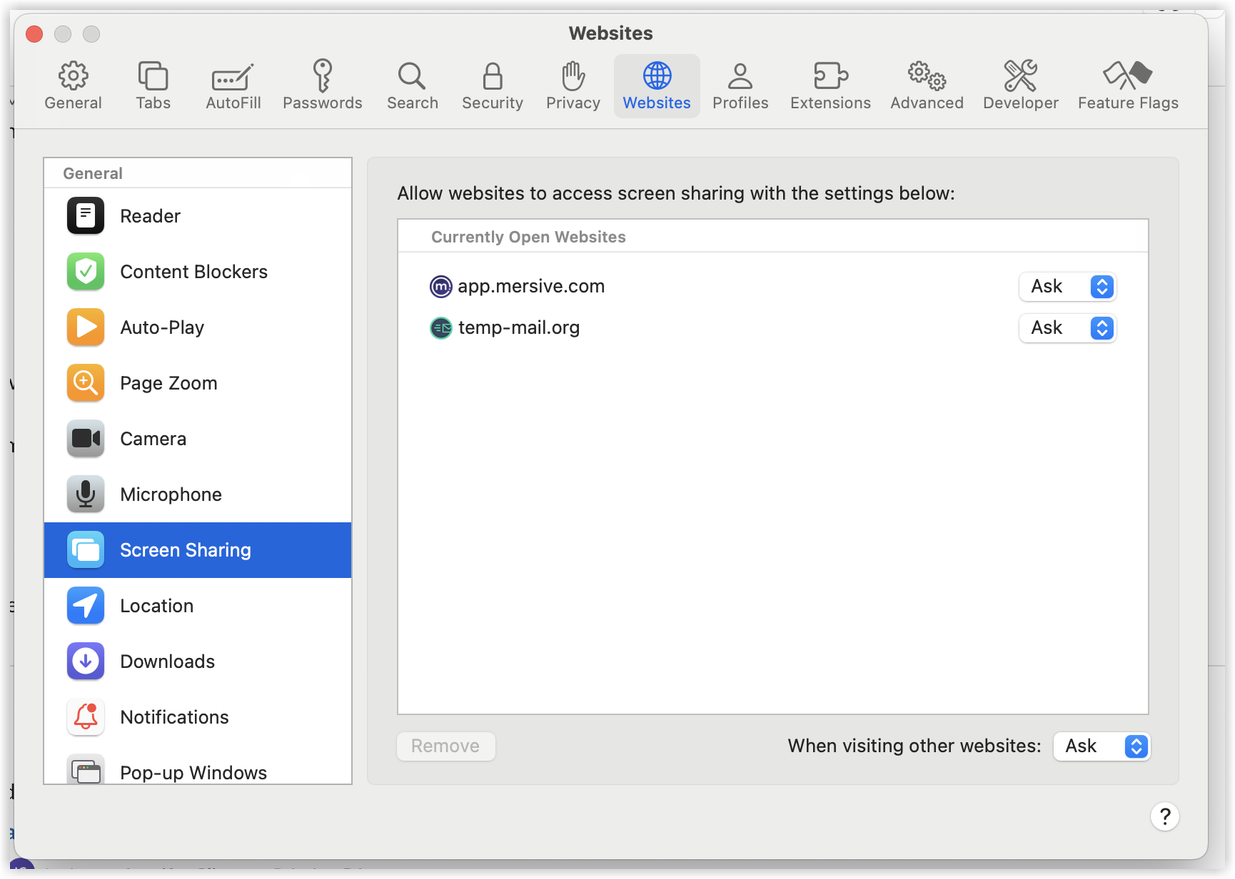
For screen sharing from Safari, you will need to adjust browser settings. In Safari, go to Settings > Websites > Screen Sharing and set When visiting other websites to Ask.
 |