Sharing Content with Audio
The sharing client supports sharing content with audio. Sound quality will vary from one display to the next, as network issues, the laptop's processor speed, and the quality of the speakers attached to the display all affect the reproduced sound. Not every sharing option in the web client includes audio sharing. This table shows four popular browsers supported by the web client and the audio sharing options available to them:
Browser | OS | Tab | Window | Screen |
|---|---|---|---|---|
Chrome | Win | Yes | No | Yes |
Chrome | Mac | Yes | No | No |
Edge | Win | Yes | No | Yes |
Edge | Mac | Yes | No | No |
Firefox | Win | No | No | No |
Firefox | Mac | No | No | No |
Safari | Mac | No | No | No |
How to Share Content with Audio
To make sure your audio plays correctly, take these additional steps when selecting content with audio:
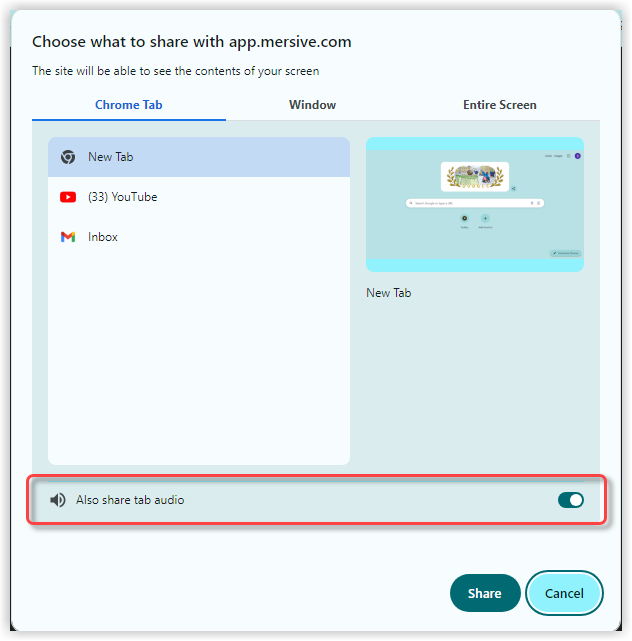 |
Turn off the speakers on your laptop.
Turn up the volume on the display.
As you select the content you want to play audio for, switch on the Also share tab audio.
Adjust the volume on the display as needed.