Device Software and Hardware Customization
The Device tab has several software and hardware customization options:
In the Firmware Update section, you can schedule updates to ensure optimal performance.
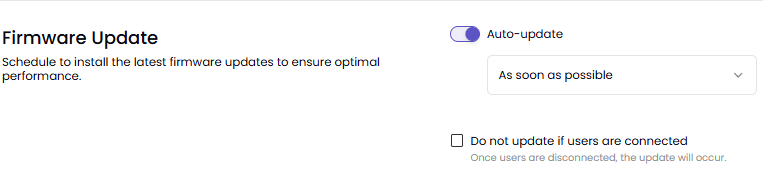
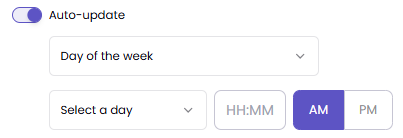
Auto-Update:
On - Highly recommended
If auto-update is on, you have two options:
As soon as possible
Day of the week
Off - Not recommended
Do not update if users are connected - Ensures that updates only occur when the device is not being used
In the Reboot Schedule section, you can schedule reboots to maintain system stability and performance.
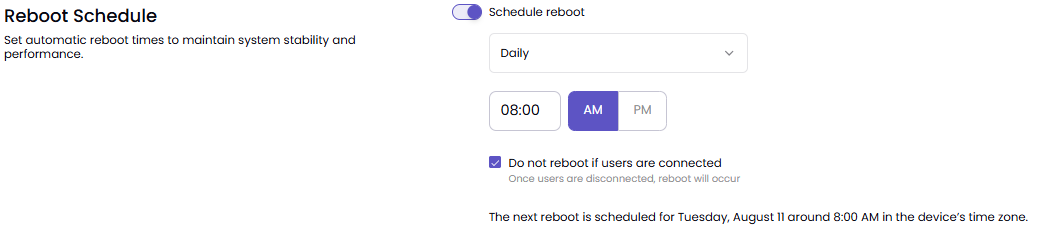
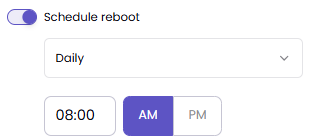
Schedule Reboot:
On - Highly recommended
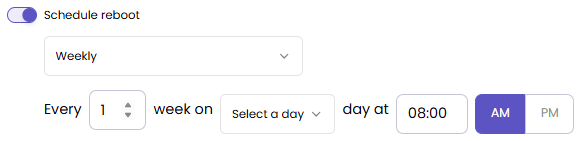
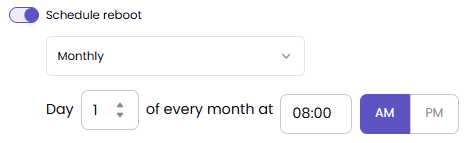
If scheduled reboot is on, you have three options:
Daily
Weekly
Monthly
Off - Not recommended
Do not reboot if users are connected - Ensures that reboots only occur when the device is not being used
Power Management lets you customize a schedule for when the device suspends the HDMI signal and enters sleep mode. You can also choose how the connected display behaves.

If you enable the Sleep section, you can edit several settings.
You can adjust how the device responds to HDMI input connections: Standard or Persistent
You can control output settings for connected HDMI displays:
Mirrored - Idle screen, signage, and shared content will be mirrored on both displays.
Extended - Idle screen and signage will be extended, and shared content will not be split between the displays.
Seamless Extended - Idle screen, signage, and shared content will be extended and split between the displays. This is recommended when using displays that do not have a border
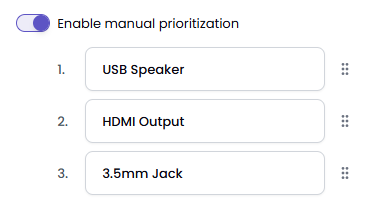
By default, audio out is routed through one device only. The default priority is 1) HDMI out, 2) USB, and 3) 3.5mm.
Enable manual prioritization to change the order of priorities.
You can select or change the time zone for your device.