About the Idle screen
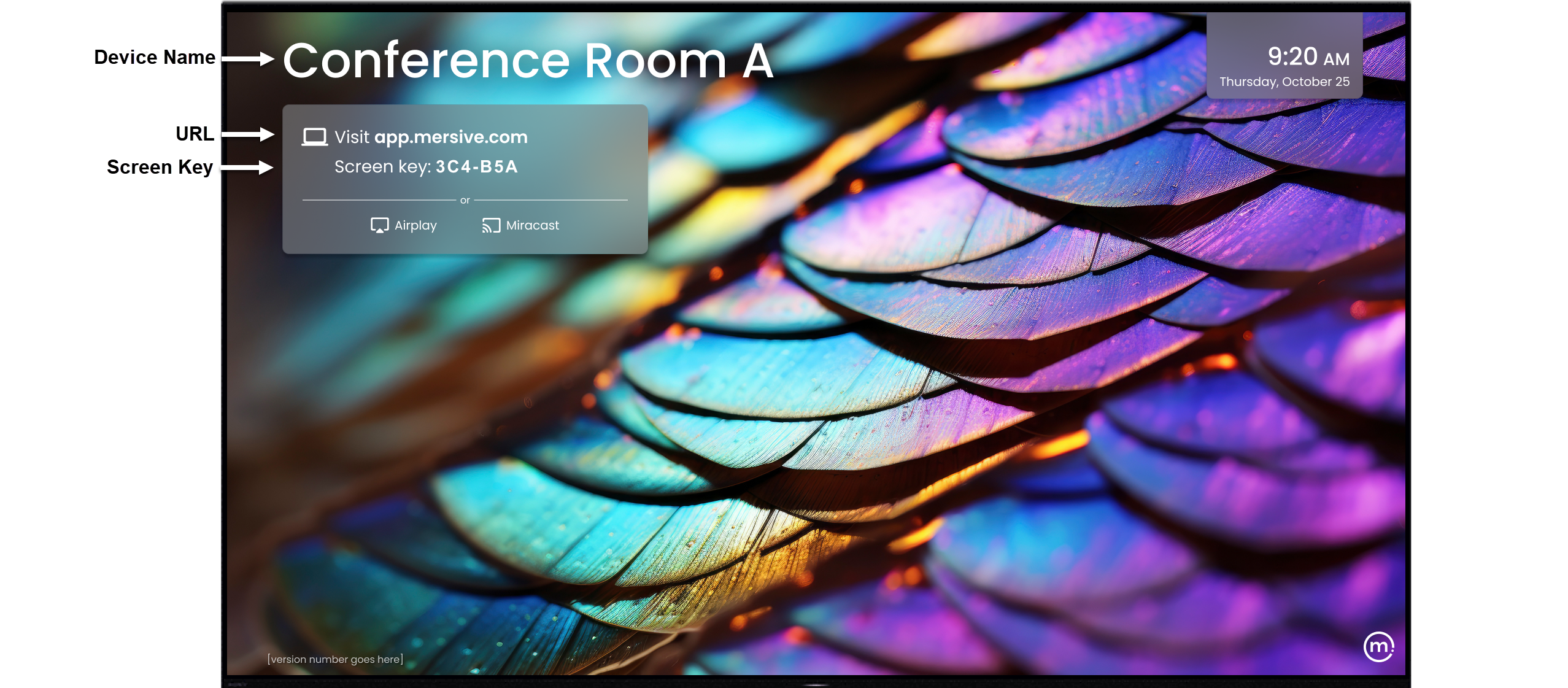
The Idle screen appears when the display is running, but no content is being shared. The Idle screen not only indicates that the display is ready for connections and content sharing, but also contains all the information you need to connect using the web client.
Here are the key components of the Idle screen:
Device Name: the name identifying the device in the admin portal.
URL: the web address of the sharing client.
Screen key: the code required to connect your laptop to the display.
User icons: icons that appear in the bottom right corner of the screen and identify the users connected to the display.
The elements that appear on the Idle screen are highly customizable. This gives you control over the “look and feel” of your displays, so you can design visuals that reflect the same colors, images, and logos that identify your brand, university, company, or organization. Among the available customizations, the device name can be changed, the background images can be changed or removed altogether, and the time display can be set to a 24-hour (military-style) clock instead of the default 12-hour clock. For instructions on customizing your devices, click here.