Mersive Polaris
Welcome to the future of collaboration with Mersive Polaris—a platform designed to transform how we connect, communicate, and create together. Imagine a world where every idea flows seamlessly from one mind to another, unhindered by technical barriers or distance. Mersive Polaris is not just a set of tools; it’s a visionary leap into a realm where collaboration knows no bounds.
Looking for information about Solstice? Click here.

About Mersive Polaris
Mersive Polaris redefines how teams connect, collaborate, and innovate. Designed for diverse environments—from small meeting spaces to expansive corporate boardrooms—the suite offers a range of solutions tailored to meet your specific needs.
Built for enterprise meeting spaces, Polaris Pro combines multi-share collaboration, wireless conferencing, cross-network content sharing, and web-based joining into one solution. Room technology handles the workload, enabling participants to share, compare, and interact with content while keeping meetings simple and productive. Whether users are on corporate Wi-Fi, guest networks, or personal devices, everyone can collaborate in the same workspace.
Implemented on the same Polaris platform as Pro, Polaris Essentials provides a consistent collaboration experience across the workplace. It combines multi-share content sharing, browser-based guest participation, native device casting, and cloud-based management in a simple, scalable solution. With no software to install and built-in familiar sharing methods, users can start collaborating immediately.
Designed for enterprise-scale management, Polaris Cloud centralizes room deployment, configuration, monitoring, and maintenance in a single interface. Administrators can create reusable room templates, automate updates, manage devices in bulk, and gain visibility into room usage, uptime, and system health. The result is easier administration, greater consistency, and more reliable collaboration spaces across the organization.
Overall, Polaris is a flexible, enterprise-ready collaboration platform that scales from small meeting spaces to executive boardrooms while delivering a consistent user experience across every room. The platform is built around a common workspace that enables wireless content sharing, multi-share collaboration, video conferencing integration, and simplified room connectivity for both employees and guests. The Polaris portfolio showcases Polaris Essentials for everyday meeting rooms, Polaris Pro for advanced collaboration environments, and Polaris Cloud for centralized fleet management. Organizations can standardize room experiences across their entire estate while giving IT teams the tools to deploy, monitor, and manage devices at scale from a single platform. Whether supporting a handful of rooms or thousands, Mersive Polaris provides a unified solution for sharing, presenting, conferencing, and managing modern meeting spaces.
Ready to get started? Great! If you're looking to connect to a display and share content, click here. If you're setting up a Mersive device for the first time, check out our Quick Start guides.
Identifying a Mersive-enabled Display
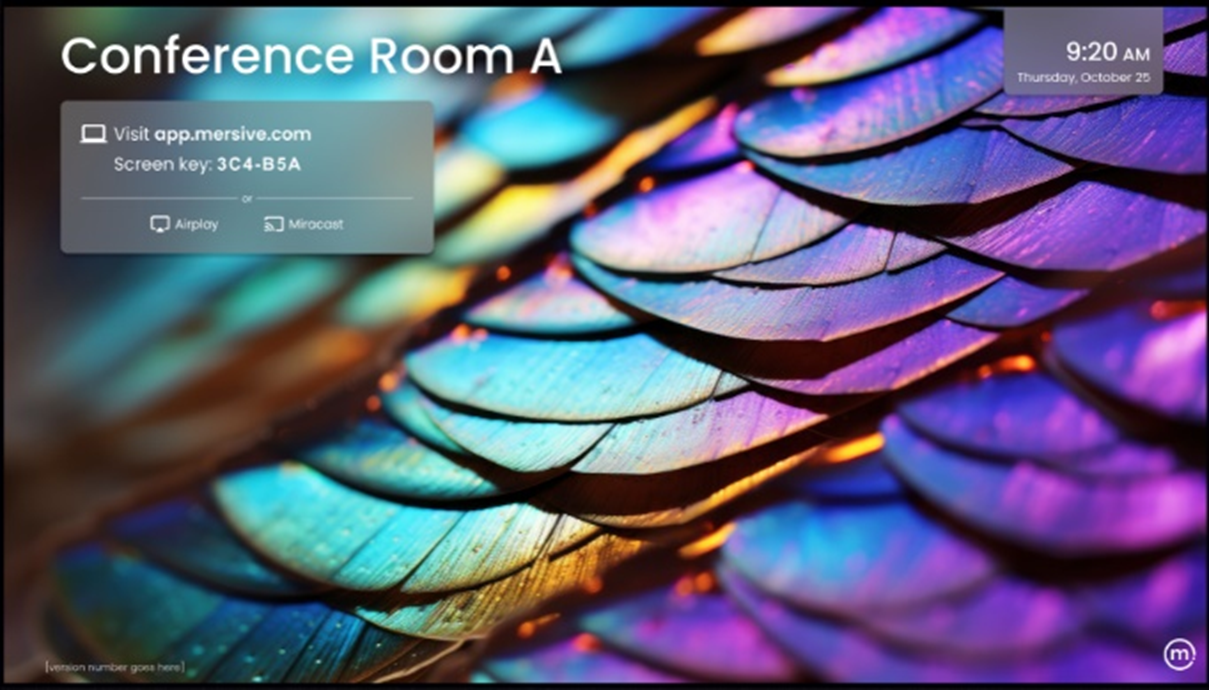
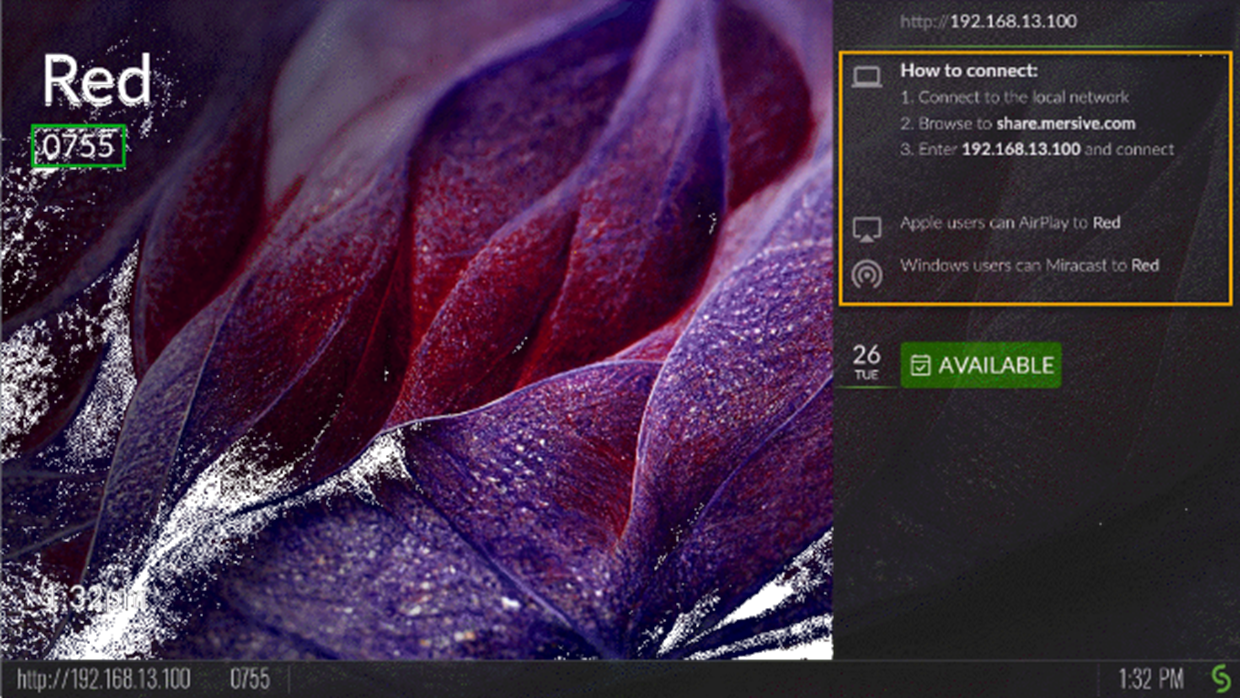
For those new to Mersive, or working in environments where both Mersive and SolsticeSolstice Pods are in use, you may need to distinguish between the two displays. When you compare the Mersive Idle screen with the default Solstice Welcome screen, the differences are immediately apparent, as shown below.
If you need information about the Solstice Display or other Solstice-related products, click here.
 |  |
|---|---|
Mersive: The Idle Screen on a Mersive-enabled display shows a Screen Key. It does not show a local network address. The Mersive logo is in the bottom-right corner. | Solstice: The Welcome Screen on the Solstice Display shows a 4-digit PIN and a local network address. The Solsticelogo is in the bottom right corner. |