Bulk Plan Assignment
Bulk Devices Assignment
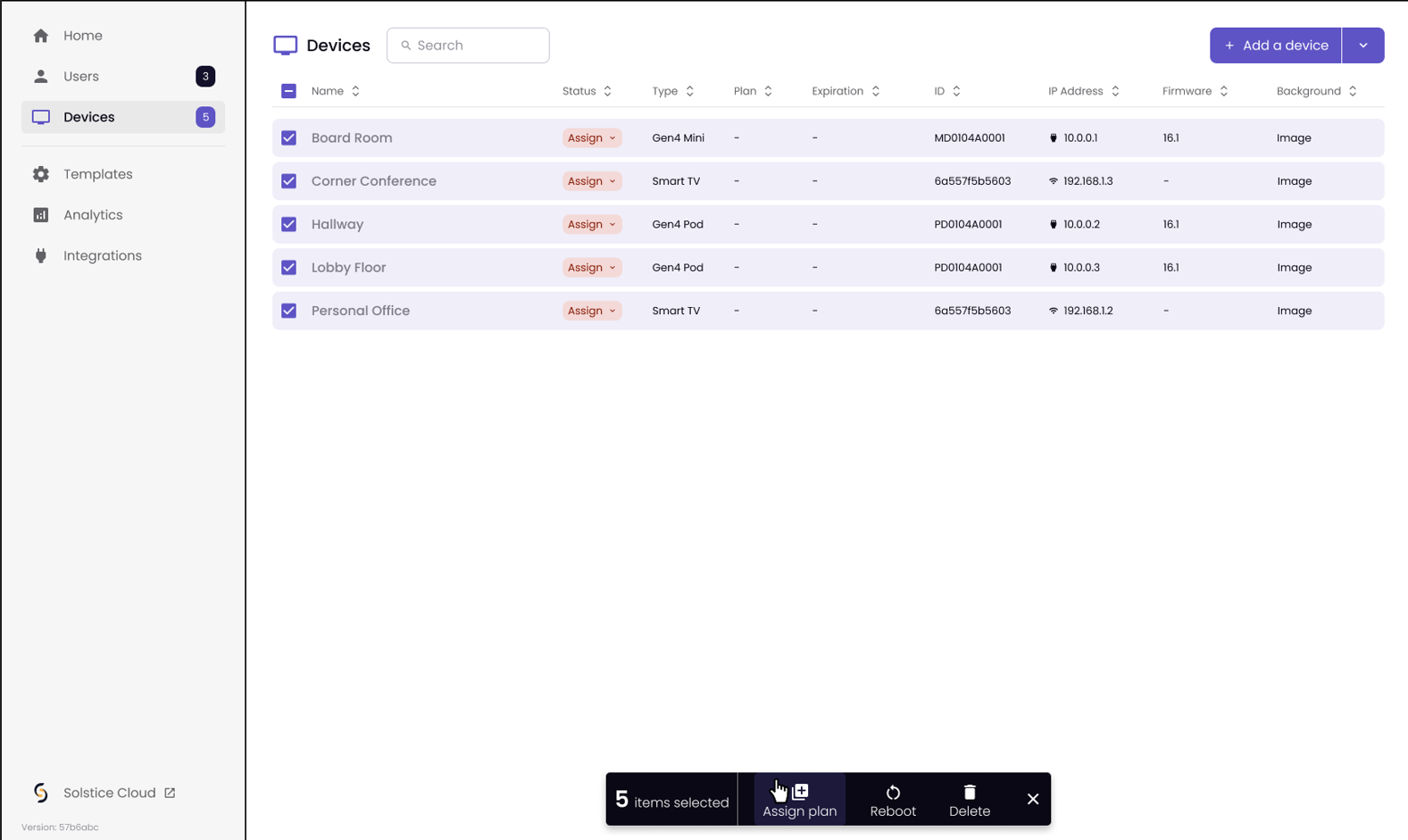
From the Devices tab in the Admin Portal, select the devices that you want to assign a plan.
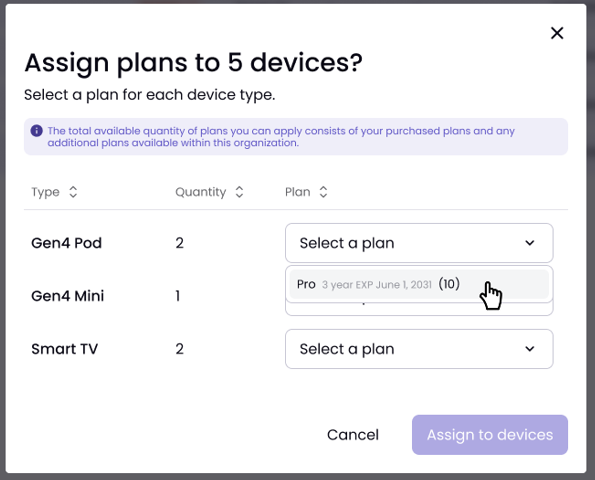
In the pop-up screen, assign the plan for each device type, then click Assign to devices.
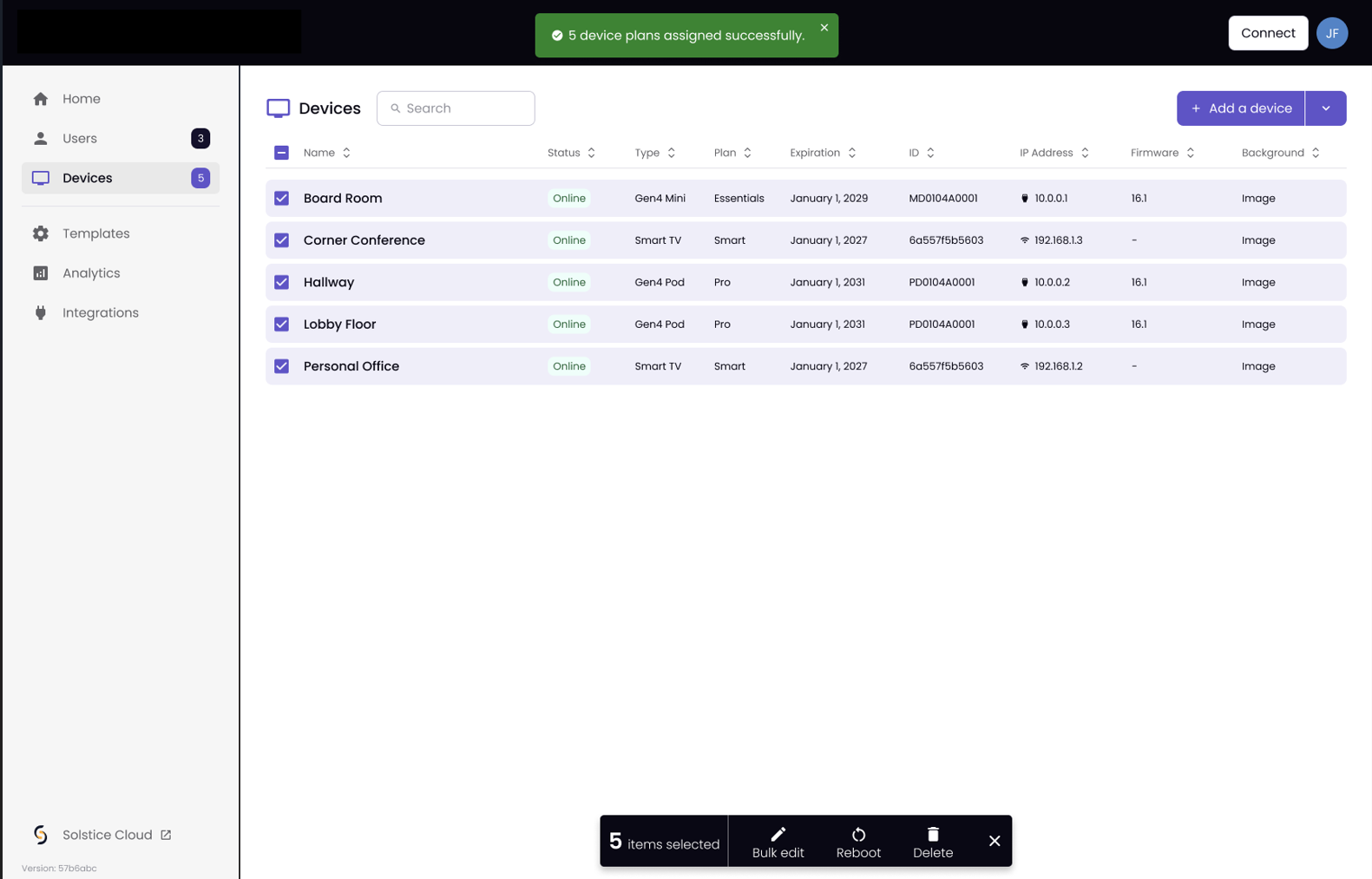
You will receive a success message: