Set Up Google Calendar
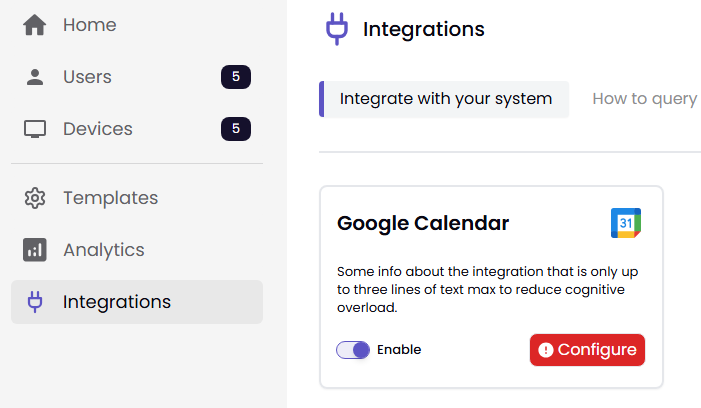
To set up Google Calendar, navigate to Integrations. In the Google Calendar box, toggle the Enable button, then click Configure.
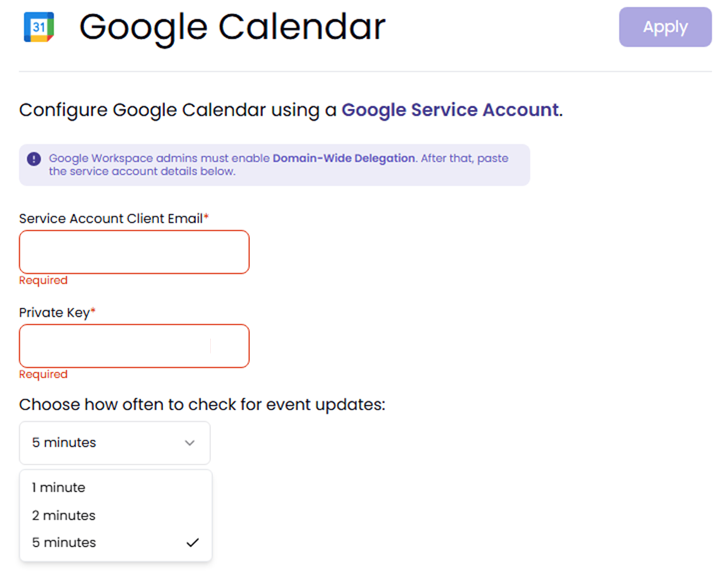
Next, enter the Service Account Client Email and Private Key, then choose how often to check for updates. Click Apply.
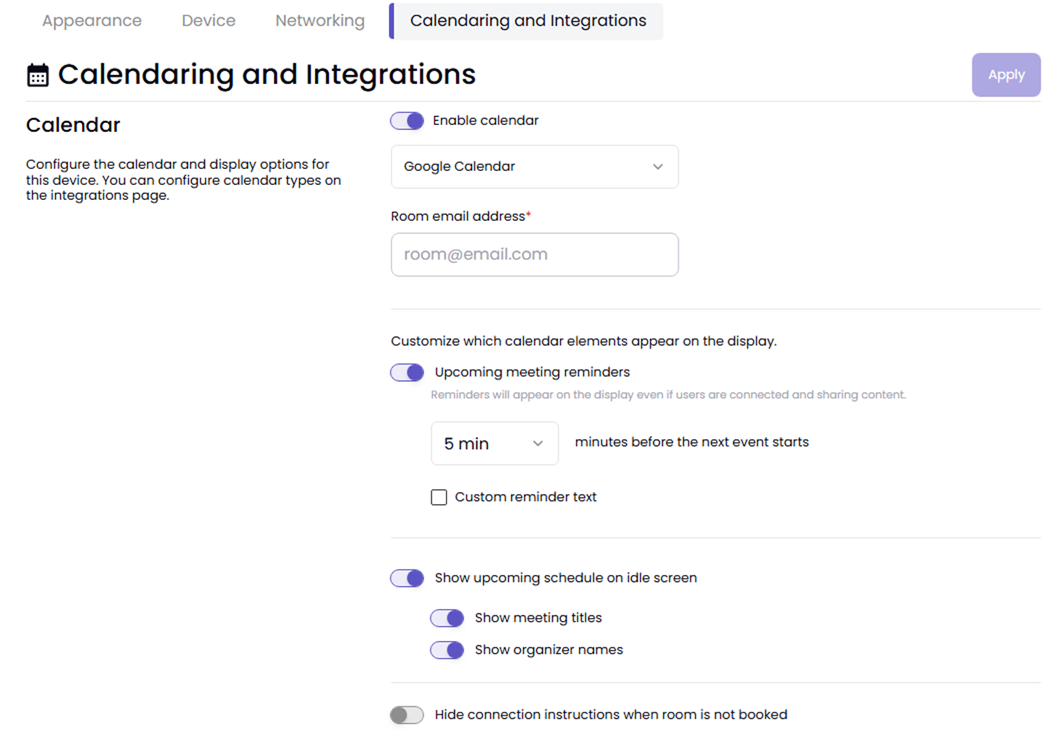
Finally, go to the Device tab and click the Device Name. Go to Calendaring and Integrations, toggle the Enable calendar button, then configure the remaining settings. When done, click Apply.